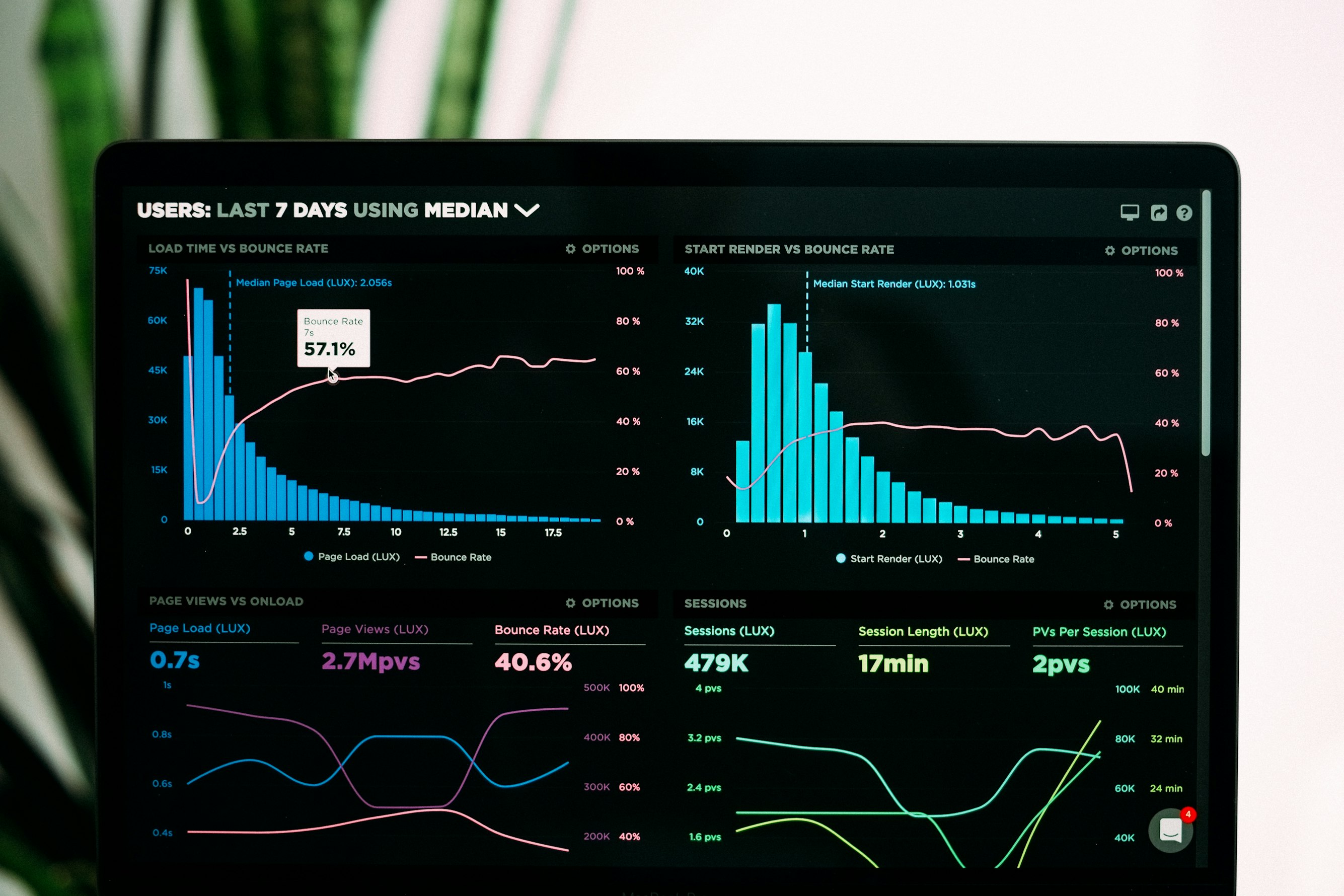
You found the perfect data visualization tool. The charts look incredible. The animations are smooth. You're ready to export for your YouTube video.
Then you click "Export" and see your options: Embed code. PNG. Maybe a GIF if you're lucky.
Where's the MP4?
This is the moment thousands of video creators hit every week. They discover that the most popular data visualization tools weren't built for video. They were built for the web. And that distinction matters more than most people realize until they're stuck with a web embed they can't upload to TikTok.
This guide is an honest comparison of three tools: Flourish, Datawrapper, and flowi.video. We'll cover what each does well, where each falls short, and most importantly—which one actually works for video content.
No affiliate links. No sponsored takes. Just a practical breakdown for creators who need to make a decision.
  <h2 id="the-core-problem">The Core Problem: Web Tools vs. Video Needs</h2>
  <p>Before comparing specific tools, let's understand the fundamental issue.</p>

  <h3 id="web-first-design">Web-First Design Philosophy</h3>
  <p>Flourish and Datawrapper were built for a specific use case: embedding interactive visualizations on websites. Newsrooms, blogs, reports—places where readers interact with data by hovering, clicking, and exploring.</p>
  <p>This is a legitimate and valuable use case. For web content, these tools are excellent.</p>
  <p>But video has completely different requirements:</p>
  <ul>
    <li><strong>Fixed duration:</strong> Web visualizations can be explored indefinitely. Video needs defined start and end points.</li>
    <li><strong>No interactivity:</strong> Viewers can't hover or click. Animation must tell the complete story.</li>
    <li><strong>Specific formats:</strong> MP4/MOV files at precise resolutions (1080p, 4K) and aspect ratios (16:9, 9:16).</li>
    <li><strong>Frame rate control:</strong> Smooth 30/60 FPS animation, not web-dependent rendering.</li>
    <li><strong>No watermarks:</strong> Professional content can't have tool branding burned in.</li>
  </ul>
  <p>When you try to use web-first tools for video, you're fighting against their core design. It's possible—but painful.</p>

  <h3 id="the-workaround-trap">The Workaround Trap</h3>
  <p>Creators without proper video export options resort to workarounds:</p>
  <p><strong>Screen recording:</strong> Record your screen while the web visualization plays. Results in variable frame rates, potential browser UI in frame, resolution limited by your monitor, and quality loss from screen capture compression.</p>
  <p><strong>GIF conversion:</strong> Export as GIF, then convert to video. GIFs have limited color palettes (256 colors), no audio support, and often massive file sizes for poor quality.</p>
  <p><strong>Screenshot sequences:</strong> Export frames as images, assemble in video editor. Extremely time-consuming and often results in jerky animation if frame timing isn't perfect.</p>
  <p>These workarounds exist because the tools don't solve the actual problem. You end up spending more time fighting export limitations than creating content.</p>

  <h2 id="flourish-overview">Flourish: The Web Visualization Leader</h2>
  <p>Let's start with the most popular option.</p>

  <h3 id="flourish-strengths">What Flourish Does Well</h3>
  <p><strong>Beautiful templates:</strong> Flourish has an extensive library of visualization templates. Bar chart races, scatter plots, maps, hierarchies—most common (and many uncommon) chart types are covered. The default styling is attractive and modern.</p>
  <p><strong>Ease of use:</strong> The interface is genuinely intuitive. Upload data, pick a template, customize colors and labels, publish. Non-technical users can create impressive visualizations quickly.</p>
  <p><strong>Interactivity:</strong> For web embeds, Flourish's interactivity is excellent. Hover states, click-to-filter, animated transitions between data states. Readers can explore data deeply.</p>
  <p><strong>Newsroom trusted:</strong> Major publications use Flourish. The New York Times, BBC, National Geographic—serious organizations trust the platform for public-facing data journalism.</p>
  <p><strong>Collaboration features:</strong> Team workspaces, version history, and organization-level branding make it suitable for professional newsrooms and agencies.</p>

  <h3 id="flourish-video-problems">Flourish's Video Export Problems</h3>
  <p>Now the reality check for video creators.</p>
  <p><strong>No direct MP4 export on most plans:</strong> The free plan offers no video export. Even paid plans have limited video functionality. You're primarily getting web embeds and static image exports.</p>
  <p><strong>Video export limitations (when available):</strong></p>
  <ul>
    <li>Resolution caps below 4K on lower tiers</li>
    <li>Limited duration options</li>
    <li>Watermarks on free/lower tiers</li>
    <li>Queue-based rendering (wait times during busy periods)</li>
  </ul>
  <p><strong>No vertical video support:</strong> Flourish is designed for landscape/web contexts. Getting clean 9:16 vertical output for TikTok or Reels requires workarounds or isn't possible at all.</p>
  <p><strong>Fixed aspect ratios:</strong> Even when video export works, you often can't specify exact dimensions. The tool outputs what it outputs—you adapt.</p>
  <p><strong>Web-optimized animation:</strong> Animation timing is designed for web interaction, not video pacing. You can't easily adjust duration to match your narration or video structure.</p>

  <h3 id="flourish-pricing">Flourish Pricing</h3>
  <ul>
    <li><strong>Free (Public):</strong> Public visualizations only, Flourish branding, no video export</li>
    <li><strong>Personal ($69/month):</strong> Private visualizations, limited video export</li>
    <li><strong>Team plans:</strong> Higher tiers with more features, enterprise pricing</li>
  </ul>
  <p>For video export specifically, you're looking at paid tiers—and even then, limitations apply.</p>

  <h3 id="flourish-verdict">Flourish Verdict</h3>
  <p><strong>Best for:</strong> Web embeds, interactive data journalism, newsroom teams</p>
  <p><strong>Video creators:</strong> Frustrating. Possible with workarounds and paid plans, but you're fighting the tool's design philosophy.</p>

  <h2 id="datawrapper-overview">Datawrapper: The Clean and Simple Option</h2>
  <p>Datawrapper takes a different approach than Flourish—simpler, cleaner, more focused.</p>

  <h3 id="datawrapper-strengths">What Datawrapper Does Well</h3>
  <p><strong>Exceptional clarity:</strong> Datawrapper visualizations are designed for readability above all else. Clean typography, thoughtful defaults, visualizations that communicate clearly without decoration.</p>
  <p><strong>Speed:</strong> Creating a basic chart takes minutes. Paste data, select chart type, adjust labels, publish. The workflow is remarkably efficient.</p>
  <p><strong>Accessibility focus:</strong> Datawrapper prioritizes accessibility—colorblind-safe palettes, screen reader compatibility, responsive sizing. If your audience has diverse needs, this matters.</p>
  <p><strong>Free tier generosity:</strong> The free plan is genuinely usable for basic needs. Public charts without watermarks (Datawrapper uses a small byline, not a prominent watermark).</p>
  <p><strong>Trusted by serious publications:</strong> Like Flourish, major newsrooms use Datawrapper. It's a proven professional tool.</p>

  <h3 id="datawrapper-video-problems">Datawrapper's Video Export Problems</h3>
  <p>For video creators, Datawrapper has even more significant limitations than Flourish.</p>
  <p><strong>No native video export:</strong> Datawrapper simply doesn't export video. Period. The tool creates static charts and web embeds—not animated video files.</p>
  <p><strong>Limited animation:</strong> While some Datawrapper visualizations have subtle web animations (tooltips, hover states), there's no "play this as a video" animation mode. Charts don't draw themselves or animate between states in a video-exportable way.</p>
  <p><strong>Export options:</strong></p>
  <ul>
    <li>PNG (static image)</li>
    <li>SVG (static vector)</li>
    <li>Embed code (web only)</li>
    <li>PDF (static document)</li>
  </ul>
  <p>Notice what's missing: MP4, MOV, GIF—any moving image format.</p>
  <p><strong>The screen recording trap:</strong> If you want a Datawrapper chart in your video, your only option is screen recording. With all the quality problems that entails.</p>

  <h3 id="datawrapper-pricing">Datawrapper Pricing</h3>
  <ul>
    <li><strong>Free:</strong> Public charts, Datawrapper byline, core features</li>
    <li><strong>Custom ($599/month):</strong> Private charts, custom branding, team features</li>
    <li><strong>Enterprise:</strong> Custom pricing for large organizations</li>
  </ul>
  <p>Note that even at $599/month, you don't get video export—because it doesn't exist in the product.</p>

  <h3 id="datawrapper-verdict">Datawrapper Verdict</h3>
  <p><strong>Best for:</strong> Static charts, clean web embeds, accessibility-focused data journalism</p>
  <p><strong>Video creators:</strong> Not viable. The tool simply doesn't support the use case.</p>

  <h2 id="flowi-overview">flowi.video: Built for Video from Day One</h2>
  <p>Now let's look at <a href="https://flowi.video">flowi.video</a>—a tool designed specifically for video content.</p>

  <h3 id="flowi-strengths">What flowi.video Does Well</h3>
  <p><strong>Actual video export:</strong> This is the core difference. flowi.video outputs MP4 and MOV files. Real video files that you download and upload directly to YouTube, TikTok, Vimeo—anywhere that accepts video.</p>
  <p><strong>Resolution options:</strong></p>
  <ul>
    <li>1080p (1920×1080) for standard HD</li>
    <li>4K (3840×2160) for maximum quality</li>
    <li>Custom resolutions for specific needs</li>
  </ul>
  <p><strong>Aspect ratio flexibility:</strong></p>
  <ul>
    <li>16:9 for YouTube and standard video</li>
    <li>9:16 for TikTok, Instagram Reels, YouTube Shorts</li>
    <li>1:1 for Instagram feed and square formats</li>
    <li>4:5 for Instagram portrait posts</li>
  </ul>
  <p>You specify what you need. The tool delivers that exact format.</p>
  <p><strong>Frame rate control:</strong> 30 FPS or 60 FPS output. Smooth animation that matches professional video standards—not web-dependent rendering that varies based on browser performance.</p>
  <p><strong>No watermarks:</strong> Your output is your output. No tool branding burned into your content.</p>
  <p><strong>Animation-first design:</strong> Visualizations are designed to animate. Charts build, lines draw, bars grow—motion that tells stories. This isn't interactivity retrofitted to video; it's animation purpose-built for video from the start.</p>
  <p><strong>Duration control:</strong> Specify exactly how long your animation should run. 5 seconds for a quick social post. 15 seconds for a detailed reveal. Match your narration precisely.</p>
  <p><strong>AI-powered generation:</strong> Upload data, select visualization type and style, generate. The AI handles layout, animation timing, and motion design. No keyframing, no expressions, no timeline manipulation.</p>

  <h3 id="flowi-limitations">flowi.video Limitations (Honest Assessment)</h3>
  <p>No tool is perfect. Here's where flowi.video has limitations:</p>
  <p><strong>No web embedding:</strong> flowi.video creates video files, not interactive web embeds. If you need readers to hover over data points and explore, this isn't your tool.</p>
  <p><strong>No interactivity:</strong> The output is video—fixed, linear, non-interactive. The animation tells one story; viewers can't explore alternative paths.</p>
  <p><strong>Newer platform:</strong> Flourish and Datawrapper have years of development and thousands of templates. flowi.video, while growing rapidly, has a smaller template library.</p>
  <p><strong>Different use case:</strong> If your primary need is data journalism on websites, flowi.video isn't designed for that. It's designed for YouTube, TikTok, presentations, and video marketing.</p>

  <h3 id="flowi-pricing">flowi.video Pricing</h3>
  <ul>
    <li><strong>Free tier:</strong> Limited generations to test the platform</li>
    <li><strong>Pro ($19/month):</strong> Unlimited generations, all export formats, 4K output, commercial license</li>
    <li><strong>Team plans:</strong> Available for agencies and organizations</li>
  </ul>
  <p>Compared to Flourish's $69/month for limited video or Datawrapper's $599/month with no video, flowi.video's pricing reflects its focused use case.</p>

  <h3 id="flowi-verdict">flowi.video Verdict</h3>
  <p><strong>Best for:</strong> Video content creators, YouTube channels, TikTok/Reels, presentations, video marketing</p>
  <p><strong>Web publishers:</strong> Not designed for interactive web embeds—use Flourish or Datawrapper instead.</p>

  <h2 id="head-to-head">Head-to-Head Comparison</h2>
  <p>Let's put this in a clear comparison table.</p>
  <table>
    <tr><th>Feature</th><th>Flourish</th><th>Datawrapper</th><th>flowi.video</th></tr>
    <tr><td>MP4 video export</td><td>Limited (paid tiers)</td><td>No</td><td>Yes (all tiers)</td></tr>
    <tr><td>4K resolution</td><td>Limited</td><td>No (static only)</td><td>Yes</td></tr>
    <tr><td>9:16 vertical video</td><td>No native support</td><td>No</td><td>Yes</td></tr>
    <tr><td>Custom aspect ratios</td><td>Limited</td><td>No</td><td>Yes</td></tr>
    <tr><td>60 FPS animation</td><td>Web-dependent</td><td>N/A</td><td>Yes</td></tr>
    <tr><td>No watermarks</td><td>Paid tiers only</td><td>Byline on free</td><td>Yes</td></tr>
    <tr><td>Duration control</td><td>Limited</td><td>N/A</td><td>Yes</td></tr>
    <tr><td>Web embeds</td><td>Excellent</td><td>Excellent</td><td>No</td></tr>
    <tr><td>Interactivity</td><td>Excellent</td><td>Good</td><td>No</td></tr>
    <tr><td>Template variety</td><td>Extensive</td><td>Moderate</td><td>Growing</td></tr>
    <tr><td>Ease of use</td><td>Good</td><td>Excellent</td><td>Excellent</td></tr>
    <tr><td>Starting price (video)</td><td>$69/month</td><td>N/A</td><td>$19/month</td></tr>
  </table>

  <h2 id="use-case-matching">Matching Tools to Use Cases</h2>
  <p>The right tool depends entirely on what you're creating.</p>

  <h3 id="use-flourish">Use Flourish When:</h3>
  <ul>
    <li>You're publishing data journalism on a website</li>
    <li>Readers need to interact with and explore data</li>
    <li>You need extensive template variety</li>
    <li>Web embedding is your primary distribution</li>
    <li>You're part of a newsroom with existing Flourish workflows</li>
  </ul>
  <p><strong>Example scenario:</strong> You're a data journalist at a news organization. You're creating an interactive visualization showing election results that readers can filter by state, zoom into, and explore. Flourish is the clear choice.</p>

  <h3 id="use-datawrapper">Use Datawrapper When:</h3>
  <ul>
    <li>You need clean, static charts quickly</li>
    <li>Accessibility is a top priority</li>
    <li>You're embedding simple visualizations on blogs or reports</li>
    <li>You want a generous free tier for basic needs</li>
    <li>You prioritize clarity over decoration</li>
  </ul>
  <p><strong>Example scenario:</strong> You're writing a blog post and need a clean bar chart showing survey results. Datawrapper gets you there in 5 minutes with a professional look.</p>

  <h3 id="use-flowi">Use flowi.video When:</h3>
  <ul>
    <li>You're creating content for YouTube, TikTok, Instagram, or other video platforms</li>
    <li>You need actual video files (MP4/MOV) to upload or edit</li>
    <li>Vertical video formats are required</li>
    <li>Animation quality matters for viewer retention</li>
    <li>You're a video creator, not a web publisher</li>
    <li>You need to drop visualizations into a video editing timeline</li>
  </ul>
  <p><strong>Example scenario:</strong> You're a finance YouTuber creating a market analysis video. You need an animated line chart showing stock performance over 5 years, exported as 4K MP4 to drop into Premiere Pro. flowi.video is the only option that actually serves this use case.</p>

  <h2 id="workflow-comparison">Real Workflow Comparison</h2>
  <p>Let's trace through an actual task: creating an animated bar chart race for a YouTube video.</p>

  <h3 id="workflow-flourish">Flourish Workflow</h3>
  <ol>
    <li>Create account and choose bar chart race template (2 min)</li>
    <li>Upload and format data (5 min)</li>
    <li>Customize colors, labels, and styling (10 min)</li>
    <li>Realize video export isn't available on free tier</li>
    <li>Upgrade to paid plan (if willing—$69/month)</li>
    <li>Attempt video export, navigate limitations</li>
    <li>OR: Screen record the web preview (quality compromised)</li>
    <li>Convert/edit the captured video to correct format (10 min)</li>
    <li>Deal with quality issues, browser elements, etc.</li>
  </ol>
  <p><strong>Total time:</strong> 30-45 minutes + subscription cost</p>
  <p><strong>Output quality:</strong> Variable (depends on export tier or screen recording quality)</p>

  <h3 id="workflow-datawrapper">Datawrapper Workflow</h3>
  <ol>
    <li>Create account (1 min)</li>
    <li>Realize Datawrapper doesn't do bar chart races</li>
    <li>Choose different tool</li>
  </ol>
  <p>OR for a static chart:</p>
  <ol>
    <li>Create static chart (5 min)</li>
    <li>Export as PNG</li>
    <li>Import static image to video editor</li>
    <li>Add basic animation in video editor manually (15-30 min)</li>
  </ol>
  <p><strong>Total time:</strong> 20-35 minutes</p>
  <p><strong>Output quality:</strong> Basic (not true data animation)</p>

  <h3 id="workflow-flowi">flowi.video Workflow</h3>
  <ol>
    <li>Upload data (30 seconds)</li>
    <li>Select bar chart race and style (30 seconds)</li>
    <li>Set 16:9 aspect ratio and duration (15 seconds)</li>
    <li>Generate (60 seconds)</li>
    <li>Download MP4 (10 seconds)</li>
    <li>Drop into video editor timeline</li>
  </ol>
  <p><strong>Total time:</strong> Under 3 minutes</p>
  <p><strong>Output quality:</strong> Broadcast-ready 4K, 60 FPS</p>
  <p>The workflow difference is stark. Tools designed for web require workarounds for video. Tools designed for video deliver video.</p>

  <h2 id="common-questions">Common Questions Answered</h2>

  <h3 id="q-screen-record">"Can't I just screen record Flourish?"</h3>
  <p>Technically yes. Practically, it's problematic:</p>
  <ul>
    <li>Quality limited by your screen resolution</li>
    <li>Frame rate depends on browser performance</li>
    <li>Risk of capturing browser UI elements</li>
    <li>No control over exact output dimensions</li>
    <li>Compression artifacts from screen capture</li>
    <li>Time spent setting up capture, trimming, converting</li>
  </ul>
  <p>It works for rough drafts or one-offs. For professional, consistent content, it's a poor solution.</p>

  <h3 id="q-gif-convert">"What about exporting GIF and converting to video?"</h3>
  <p>GIF limitations make this problematic:</p>
  <ul>
    <li>256 color maximum (your vibrant chart becomes banded and dithered)</li>
    <li>No partial transparency</li>
    <li>Large file sizes for poor quality</li>
    <li>Frame rate limitations</li>
    <li>Conversion adds another step and potential quality loss</li>
  </ul>
  <p>GIF was designed for simple web graphics in 1987. It's not a video format.</p>

  <h3 id="q-both-tools">"Should I use multiple tools?"</h3>
  <p>Yes, if your needs span both web and video.</p>
  <p>Recommended approach:</p>
  <ul>
    <li><strong>Web embeds:</strong> Flourish or Datawrapper</li>
    <li><strong>Video content:</strong> flowi.video</li>
  </ul>
  <p>They're not competitors for the same job—they're complementary tools for different distribution channels.</p>

  <h3 id="q-learning-curve">"Is flowi.video harder to learn if I know Flourish?"</h3>
  <p>No. The workflow is arguably simpler:</p>
  <p>Flourish: Upload data → Choose template → Customize extensively → Navigate export limitations</p>
  <p>flowi.video: Upload data → Choose visualization → Set video specs → Generate → Download</p>
  <p>If anything, flowi.video requires fewer decisions because it's focused on one output type: video.</p>

  <h2 id="migration-guide">For Flourish/Datawrapper Users: Adding Video Capability</h2>
  <p>If you're already using Flourish or Datawrapper for web content and want to add video to your capabilities, here's the practical approach:</p>

  <h3 id="keep-web-tools">Keep Your Web Tools</h3>
  <p>Don't abandon Flourish or Datawrapper if they're working for your web embeds. They're excellent at what they do.</p>

  <h3 id="add-flowi">Add flowi.video for Video</h3>
  <p>When a project requires video output:</p>
  <ol>
    <li>Prepare your data (same format you use for other tools)</li>
    <li>Create video version in flowi.video</li>
    <li>Create web version in Flourish/Datawrapper (if needed)</li>
    <li>Use each output in its appropriate channel</li>
  </ol>

  <h3 id="workflow-efficiency">Workflow Efficiency</h3>
  <p>Since data preparation is similar across tools, adding flowi.video doesn't significantly increase workload:</p>
  <ul>
    <li>Same data, different output</li>
    <li>One source of truth for numbers</li>
    <li>Optimized output for each channel</li>
  </ul>
  <p>Your web embeds stay interactive. Your videos get proper animation. Each channel gets the format it deserves.</p>

  <h2 id="conclusion">The Bottom Line: Right Tool for the Job</h2>
  <p>This comparison isn't about declaring a winner. It's about matching tools to use cases.</p>
  <p><strong>Flourish</strong> is excellent for interactive web visualizations. Newsrooms trust it. The template library is extensive. For web publishing, it's a leading choice.</p>
  <p><strong>Datawrapper</strong> excels at clean, accessible static charts. The workflow is fast. The output is clear. For simple web charts, it's hard to beat.</p>
  <p><strong>flowi.video</strong> is built for video. MP4 export, 4K resolution, vertical formats, 60 FPS animation—these aren't afterthoughts or paid add-ons. They're the core product.</p>
  <p>The honest assessment:</p>
  <ul>
    <li><strong>Need a web embed?</strong> Use Flourish or Datawrapper.</li>
    <li><strong>Need a video file?</strong> Use flowi.video.</li>
  </ul>
  <p>Stop trying to force web tools to export video. Stop screen recording and hoping for quality. Stop converting GIFs and accepting color banding.</p>
  <p>Use the tool designed for what you're actually making.</p>
  <p>For video creators, that tool is <a href="https://flowi.video">flowi.video</a>.</p>
  <div style="background-color: #f8f9fa; padding: 24px; border-radius: 8px; margin-top: 32px;">
    <h3 style="margin-top: 0;">Finally: Data Visualization That Exports Actual Video</h3>
    <p style="margin-bottom: 16px;">Stop screen recording web tools. flowi.video creates animated charts, graphs, and data visualizations as real MP4 files—4K resolution, any aspect ratio, ready for YouTube, TikTok, and any video platform.</p>
    <p style="margin-bottom: 0;"><a href="https://flowi.video" style="font-weight: bold;">Try flowi.video free →</a></p>
  </div>
Read Next
Continue Exploring

Instagram Reels Ideas Using AI Motion Graphics: 15 Scroll-Stopping Concepts You Can Create in Minutes
Discover 15 Instagram Reels ideas using AI motion graphics. Create animated maps, data visuals, and kinetic typography without After Effects.

5 Benefits of Multi-Image Fusion for Financial Narratives
Learn 5 ways multi-image fusion elevates financial narratives with better visual fidelity, faster turnaround, and stronger investor engagement.

5 Mistakes Beginners Make with AI Motion Graphics Generators (And How to Avoid Them)
Avoid common AI motion graphics mistakes that waste time and hurt results. Learn how to get professional animated maps, charts, and logos right the first time.