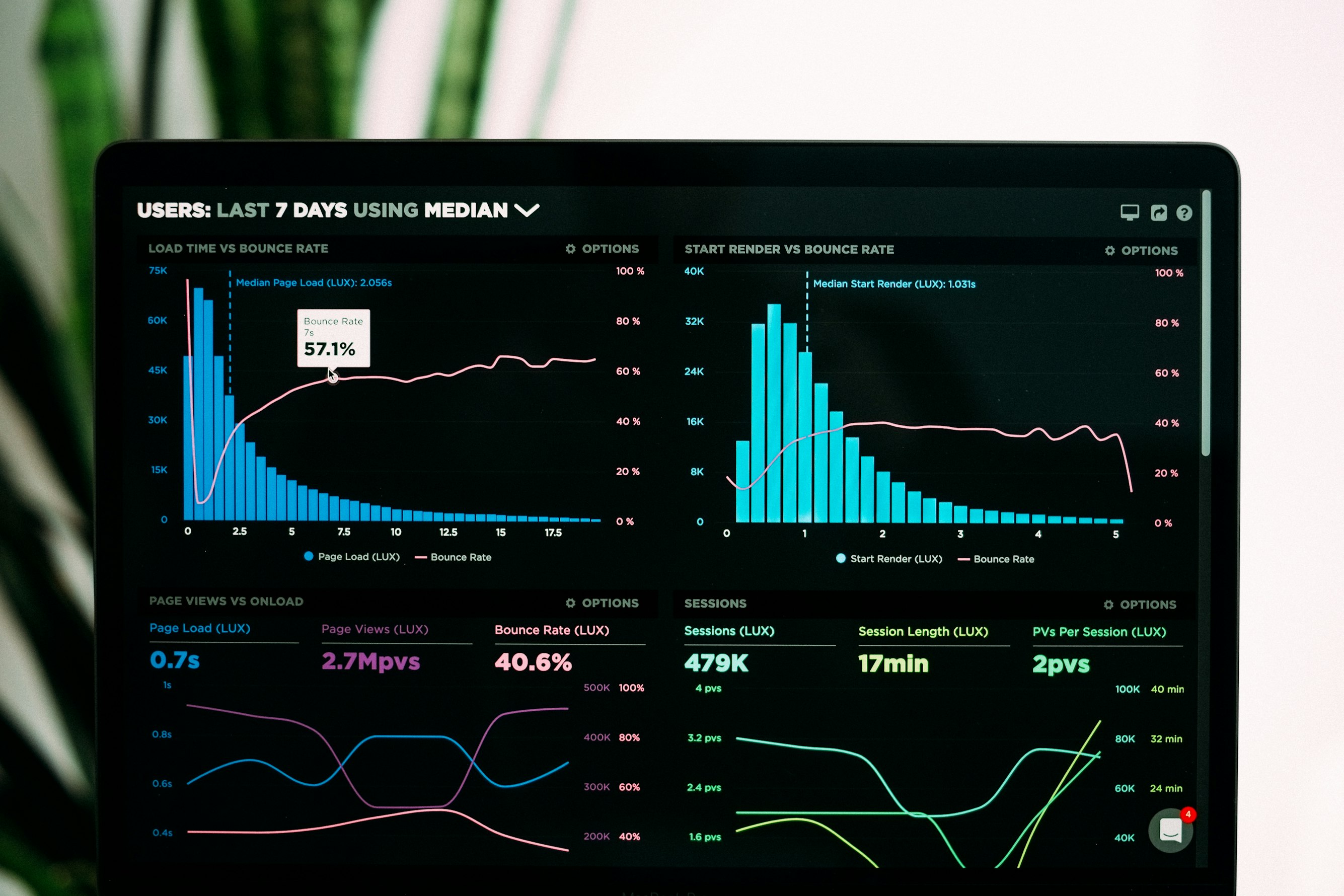
You've seen them everywhere. Countries racing for GDP dominance. Brands battling for market share. Artists competing for streaming numbers. The bars move, swap positions, and tell a story—all in 30 seconds.
Bar chart race videos are TikTok gold. They're hypnotic. They generate comments ("Wait for Brazil!"). They get shared. They work.
And you want to make one.
Here's the problem: most tutorials for creating bar chart races involve Python libraries, After Effects projects, or web tools that don't actually export video. You follow along for an hour, and at the end you have either a coding headache or a web link instead of an actual video file.
Not useful when TikTok needs a 9:16 MP4.
This guide shows you how to create a bar chart race video—a real, downloadable MP4 sized perfectly for TikTok—in under 2 minutes. We'll also cover the traditional methods so you understand what you're skipping.
  <h2 id="what-is-bar-chart-race">What Is a Bar Chart Race?</h2>
  <p>A bar chart race is an animated visualization showing how rankings change over time. The bars represent entities (countries, companies, people), their lengths represent values (GDP, revenue, followers), and the animation shows those values changing across time periods.</p>
  <p>Key characteristics:</p>
  <ul>
    <li><strong>Horizontal bars</strong> that grow and shrink based on values</li>
    <li><strong>Dynamic ranking</strong>—bars swap positions as rankings change</li>
    <li><strong>Time progression</strong> shown through a year/date counter</li>
    <li><strong>Smooth transitions</strong> between data points</li>
    <li><strong>Labels and values</strong> that move with their bars</li>
  </ul>
  <p>The format works because it creates narrative tension. Viewers watch to see who "wins." They notice surprising rises and falls. They comment when their favorite appears or disappears.</p>
  <p>Perfect for TikTok's engagement-driven algorithm.</p>

  <h2 id="why-they-perform">Why Bar Chart Races Dominate TikTok</h2>
  <p>Before we build one, understand why they work so well on this specific platform.</p>

  <h3 id="watch-time">Completion Rate Magnets</h3>
  <p>Bar chart races have built-in suspense. "Who will be #1 at the end?" This question keeps viewers watching until the final frame. High completion rates signal quality to TikTok's algorithm.</p>

  <h3 id="comments">Comment Generators</h3>
  <p>These videos practically beg for comments:</p>
  <ul>
    <li>"I knew Japan would catch up!"</li>
    <li>"Where's [country/brand]?"</li>
    <li>"2008 was wild"</li>
    <li>"Wait for 2020..."</li>
  </ul>
  <p>Comments boost engagement metrics, which boost distribution.</p>

  <h3 id="shareability">Shareability</h3>
  <p>People share bar chart races to make points. "Look how fast China grew." "See how Nokia fell." The data tells a story worth passing along.</p>

  <h3 id="vertical-fit">Vertical Format Friendly</h3>
  <p>Unlike many data visualizations that need landscape orientation, bar chart races work beautifully in 9:16 vertical. Horizontal bars stack naturally in a tall frame.</p>

  <h2 id="tiktok-specs">TikTok Video Specs You Need</h2>
  <p>Before creating anything, know your target specs:</p>
  <p><strong>Aspect ratio:</strong> 9:16 (vertical)</p>
  <p><strong>Resolution:</strong> 1080x1920 pixels minimum (4K 2160x3840 is better)</p>
  <p><strong>Frame rate:</strong> 30 FPS minimum, 60 FPS ideal</p>
  <p><strong>Format:</strong> MP4 (H.264 codec)</p>
  <p><strong>Length:</strong> 15-60 seconds optimal for bar chart races</p>
  <p><strong>File size:</strong> Under 287 MB</p>
  <p>The critical point: you need an actual video file. Not a web embed. Not a GIF. Not a link to an interactive chart. A downloadable MP4 that you can upload directly to TikTok.</p>
  <p>This is where most bar chart race tutorials fail you.</p>

  <h2 id="traditional-methods">The Traditional Methods (And Why They're Painful)</h2>
  <p>Let's walk through the conventional approaches to creating bar chart races. Understanding these helps you appreciate what you're avoiding.</p>

  <h3 id="python-method">Method 1: Python with bar_chart_race Library</h3>
  <p>The most common tutorial approach uses Python programming.</p>
  <p><strong>The process:</strong></p>
  <ol>
    <li>Install Python on your computer</li>
    <li>Install required libraries (pandas, bar_chart_race, ffmpeg)</li>
    <li>Format your data as a specific CSV structure</li>
    <li>Write Python code to configure the visualization</li>
    <li>Run the script and wait for rendering</li>
    <li>Troubleshoot the inevitable errors</li>
    <li>Adjust parameters and re-render</li>
    <li>Convert output to correct format/dimensions</li>
  </ol>
  <p><strong>Time required:</strong> 1-4 hours for first-timers (including setup and debugging)</p>
  <p><strong>Skills required:</strong> Basic Python, command line familiarity, data formatting</p>
  <p><strong>Common problems:</strong></p>
  <ul>
    <li>Library installation failures</li>
    <li>FFmpeg configuration issues</li>
    <li>Data format errors that produce cryptic messages</li>
    <li>Output in wrong dimensions (usually landscape)</li>
    <li>Render times of 10-30+ minutes for longer animations</li>
  </ul>
  <p><strong>Sample code complexity:</strong></p>
  <pre><code>import bar_chart_race as bcr
df = pd.read_csv(‘data.csv’, index_col=‘date’) bcr.bar_chart_race( df=df, filename=‘output.mp4’, orientation=‘h’, sort=‘desc’, n_bars=10, fixed_order=False, fixed_max=True, steps_per_period=10, interpolate_period=False, label_bars=True, bar_size=.95, period_label={‘x’: .99, ‘y’: .25, ‘ha’: ‘right’, ‘fontsize’: 20}, period_fmt=‘%B %d, %Y’, period_summary_func=lambda v, r: {‘x’: .99, ‘y’: .18, ‘s’: f’Total: {v.nlargest(6).sum():,.0f}’, ‘ha’: ‘right’, ‘fontsize’: 11}, perpendicular_bar_func=‘median’, figsize=(4, 2.5), dpi=144, cmap=‘dark24’, title=‘My Bar Chart Race’, bar_label_size=7, tick_label_size=7, shared_fontdict={‘family’: ‘Helvetica’, ‘color’: ‘.1’}, scale=‘linear’, writer=None, fig=None, bar_kwargs={‘alpha’: .7}, filter_column_colors=False )
That’s just configuration. You still need data preparation, error handling, and format conversion.
For programmers, this is manageable. For content creators who just want a TikTok video, it’s absurd overhead.
<h3 id="after-effects-method">Method 2: After Effects Manual Animation</h3>
<p>The motion graphics professional's approach.</p>
<p><strong>The process:</strong></p>
<ol>
<li>Create composition in After Effects (set to 1080x1920)</li>
<li>Build bar chart elements (rectangles, text layers)</li>
<li>Set up expressions or keyframes for each bar's height</li>
<li>Create expressions or keyframes for position swapping</li>
<li>Add year/time counter</li>
<li>Keyframe every data point for every bar</li>
<li>Adjust timing and easing</li>
<li>Render (10-30 minutes)</li>
</ol>
<p><strong>Time required:</strong> 2-6 hours depending on complexity</p>
<p><strong>Skills required:</strong> Intermediate to advanced After Effects</p>
<p><strong>Common problems:</strong></p>
<ul>
<li>Massive number of keyframes to manage</li>
<li>Position swapping logic is complex</li>
<li>Changes to data require re-keyframing everything</li>
<li>Expressions can break in confusing ways</li>
<li>Long render times</li>
</ul>
<p>Some creators use templates, but even template customization takes significant time and After Effects knowledge.</p>
<h3 id="web-tools-method">Method 3: Web-Based Tools (Flourish, etc.)</h3>
<p>The easiest traditional option—but with a critical flaw.</p>
<p><strong>The process:</strong></p>
<ol>
<li>Upload data to web tool</li>
<li>Configure visualization options</li>
<li>Preview the animation</li>
<li>Export... as a web embed or GIF</li>
</ol>
<p><strong>Time required:</strong> 15-30 minutes</p>
<p><strong>Skills required:</strong> Basic data formatting</p>
<p><strong>The fatal flaw:</strong> Most web tools don't export MP4 video files. You get:</p>
<ul>
<li>Embed codes for websites</li>
<li>Links to hosted interactive versions</li>
<li>GIFs (wrong format, often poor quality)</li>
<li>Maybe MP4 export on expensive enterprise plans</li>
</ul>
<p>You can't upload an embed code to TikTok. You need a video file.</p>
<p>Some creators resort to screen recording these web tools. The result: lower quality, wrong dimensions, visible browser elements, inconsistent frame rates. Amateur hour.</p>
<h2 id="flowi-method">The Fast Method: flowi.video in Under 2 Minutes</h2>
<p>Now let's do this properly.</p>
<p><a href="https://flowi.video">flowi.video</a> is built for exactly this use case: creating animated data visualizations as actual video files, properly formatted for social platforms.</p>
<h3 id="step-by-step">Step-by-Step: Bar Chart Race for TikTok</h3>
<p><strong>Step 1: Prepare your data (30 seconds)</strong></p>
<p>You need time-series data showing values for each entity across multiple time periods. Format simply:</p>
<table>
<tr><th>Year</th><th>USA</th><th>China</th><th>Japan</th><th>Germany</th><th>UK</th></tr>
<tr><td>2000</td><td>10.25</td><td>1.21</td><td>4.89</td><td>1.95</td><td>1.66</td></tr>
<tr><td>2005</td><td>13.04</td><td>2.29</td><td>4.76</td><td>2.86</td><td>2.54</td></tr>
<tr><td>2010</td><td>14.99</td><td>6.09</td><td>5.70</td><td>3.42</td><td>2.48</td></tr>
</table>
<p>Most spreadsheet data can be reformatted to this structure quickly. Rows are time periods, columns are entities.</p>
<p><strong>Step 2: Upload to flowi.video (10 seconds)</strong></p>
<p>Paste your data directly or upload a CSV file. The interface accepts both.</p>
<p><strong>Step 3: Configure your visualization (20 seconds)</strong></p>
<ul>
<li>Select "Bar Chart Race" as visualization type</li>
<li>Set aspect ratio to 9:16 (TikTok/Reels vertical)</li>
<li>Choose resolution: 1080x1920 or 4K</li>
<li>Select color scheme that fits your content</li>
<li>Set animation duration (15-60 seconds typical)</li>
</ul>
<p><strong>Step 4: Generate (30-60 seconds)</strong></p>
<p>Click generate. The AI processes your data, calculates transitions, creates smooth bar movements and position swaps, and renders the animation.</p>
<p>No code. No keyframes. No expressions.</p>
<p><strong>Step 5: Download (10 seconds)</strong></p>
<p>Download your MP4 file. It's ready for direct upload to TikTok.</p>
<p><strong>Total time: Under 2 minutes.</strong></p>
<h3 id="what-you-get">What You Actually Get</h3>
<p>The output from flowi.video:</p>
<ul>
<li><strong>MP4 video file</strong>—not a link, not an embed, an actual file</li>
<li><strong>9:16 aspect ratio</strong>—fills the TikTok screen properly</li>
<li><strong>1080p or 4K resolution</strong>—crisp, professional quality</li>
<li><strong>Smooth 60 FPS animation</strong>—fluid bar movements and transitions</li>
<li><strong>Proper easing</strong>—bars accelerate and decelerate naturally</li>
<li><strong>Readable labels</strong>—sized appropriately for mobile viewing</li>
<li><strong>Clean transitions</strong>—bars swap positions smoothly</li>
<li><strong>Time counter</strong>—shows progression through your data</li>
</ul>
<p>This is the file you upload directly to TikTok. No screen recording. No format conversion. No quality loss.</p>
<h2 id="comparison-table">Method Comparison</h2>
<table>
<tr><th>Factor</th><th>Python</th><th>After Effects</th><th>Web Tools</th><th>flowi.video</th></tr>
<tr><td>Time to create</td><td>1-4 hours</td><td>2-6 hours</td><td>15-30 min</td><td>2 minutes</td></tr>
<tr><td>Skills required</td><td>Programming</td><td>Motion design</td><td>Basic</td><td>None</td></tr>
<tr><td>MP4 export</td><td>Yes (complex)</td><td>Yes</td><td>Often no</td><td>Yes</td></tr>
<tr><td>9:16 vertical</td><td>Configurable</td><td>Manual setup</td><td>Rarely</td><td>One click</td></tr>
<tr><td>4K support</td><td>Yes</td><td>Yes</td><td>Varies</td><td>Yes</td></tr>
<tr><td>Render time</td><td>10-30 min</td><td>10-30 min</td><td>N/A</td><td>~1 minute</td></tr>
<tr><td>Data changes</td><td>Re-run code</td><td>Re-keyframe</td><td>Quick</td><td>Quick</td></tr>
<tr><td>Learning curve</td><td>Steep</td><td>Steep</td><td>Low</td><td>None</td></tr>
</table>
<p>The pattern is clear: traditional methods trade massive time investment for output you could generate in 2 minutes.</p>
<h2 id="optimization-tips">Optimization Tips for TikTok Bar Chart Races</h2>
<p>Once you can create bar chart races quickly, optimize them for performance.</p>
<h3 id="data-selection">Choose Compelling Data</h3>
<p>Not all data makes good races. Look for:</p>
<ul>
<li><strong>Lead changes</strong>—boring if #1 never changes</li>
<li><strong>Dramatic rises</strong>—entities that climb from obscurity to dominance</li>
<li><strong>Surprising falls</strong>—leaders that lose position unexpectedly</li>
<li><strong>Emotional connection</strong>—entities viewers care about (countries, brands they use, artists they follow)</li>
</ul>
<p>Test your data mentally before creating: is there a story here? If the rankings barely change, find different data.</p>
<h3 id="bar-count">Limit Your Bars</h3>
<p>More bars isn't better. For TikTok's vertical format and quick consumption:</p>
<ul>
<li><strong>Ideal: 8-12 bars</strong></li>
<li><strong>Maximum: 15 bars</strong></li>
<li><strong>More than that:</strong> Labels become unreadable on mobile</li>
</ul>
<p>If your data has 50 entities, show only the top 10-12. Others can appear when they enter the top rankings.</p>
<h3 id="duration">Optimize Duration</h3>
<p>Bar chart race sweet spots for TikTok:</p>
<ul>
<li><strong>15-30 seconds:</strong> Snappy, high completion rates, good for simple data</li>
<li><strong>30-45 seconds:</strong> Room for more dramatic changes, still holds attention</li>
<li><strong>45-60 seconds:</strong> Maximum for complex data with lots of lead changes</li>
<li><strong>Over 60 seconds:</strong> Completion rates drop, consider splitting into parts</li>
</ul>
<p>Match duration to how much actually happens in your data. If there are only 3 interesting moments, you don't need 60 seconds.</p>
<h3 id="hook-frame">Create a Hook</h3>
<p>TikTok viewers decide in 0.5 seconds whether to keep watching. Your first frame matters.</p>
<p>Strategies:</p>
<ul>
<li>Start with recognizable names at the top</li>
<li>Add text overlay: "Watch China" or "Wait for 2020..."</li>
<li>Begin at an interesting moment, not necessarily year 1</li>
</ul>
<h3 id="colors-and-readability">Prioritize Readability</h3>
<p>Mobile screens are small. Optimize for readability:</p>
<ul>
<li>High contrast colors</li>
<li>Large enough labels to read on phone</li>
<li>Clear entity names (abbreviate if necessary)</li>
<li>Visible time counter</li>
</ul>
<p>Preview on your phone before posting. If you squint, viewers will scroll.</p>
<h2 id="content-ideas">Bar Chart Race Content Ideas</h2>
<p>Need data inspiration? These topics consistently perform well:</p>
<h3 id="always-trending">Evergreen Topics</h3>
<ul>
<li><strong>GDP by country</strong> (1960-present)</li>
<li><strong>Population by country</strong></li>
<li><strong>Most valuable companies</strong></li>
<li><strong>Most subscribed YouTube channels</strong></li>
<li><strong>Most streamed artists</strong> (Spotify, Apple Music)</li>
<li><strong>Box office grossing movies</strong> by year</li>
<li><strong>Social media platforms</strong> by users</li>
<li><strong>Programming languages</strong> by popularity</li>
<li><strong>Best-selling video games</strong></li>
<li><strong>Smartphone brand market share</strong></li>
</ul>
<h3 id="niche-topics">Niche Opportunities</h3>
<ul>
<li><strong>Sports statistics</strong>—career home runs, goals, points over time</li>
<li><strong>Music charts</strong>—weekly Billboard positions animated</li>
<li><strong>Gaming stats</strong>—Twitch viewers, esports prize pools</li>
<li><strong>Regional data</strong>—state/province populations, city growth</li>
<li><strong>Industry specific</strong>—airline passengers, EV sales, streaming subscribers</li>
</ul>
<h3 id="finding-data">Where to Find Data</h3>
<ul>
<li><strong>World Bank</strong>—economic and development data</li>
<li><strong>Our World in Data</strong>—curated datasets on many topics</li>
<li><strong>Statista</strong>—business and market data</li>
<li><strong>Wikipedia tables</strong>—often have historical rankings</li>
<li><strong>Kaggle</strong>—datasets shared by data scientists</li>
<li><strong>Google Dataset Search</strong>—finds datasets across the web</li>
</ul>
<p>Most data requires some cleaning and reformatting. Budget 5-10 minutes for data prep on complex datasets.</p>
<h2 id="posting-strategy">Posting Strategy for Maximum Reach</h2>
<p>Creating the video is half the battle. Posting strategy matters.</p>
<h3 id="caption-hooks">Caption Hooks</h3>
<p>TikTok captions that work with bar chart races:</p>
<ul>
<li>"Watch until the end"</li>
<li>"Wait for [year]..."</li>
<li>"[Entity] came out of nowhere"</li>
<li>"This surprised me"</li>
<li>"Comment which one you were rooting for"</li>
</ul>
<h3 id="hashtags">Hashtag Strategy</h3>
<p>Mix of categories:</p>
<ul>
<li><strong>Format hashtags:</strong> #barchartrace #dataviz #animatedchart</li>
<li><strong>Topic hashtags:</strong> #economy #business #[specific topic]</li>
<li><strong>Engagement hashtags:</strong> #viral #fyp #foryou</li>
</ul>
<p>Don't overload. 5-8 relevant hashtags typically outperforms 20+ random ones.</p>
<h3 id="posting-time">Posting Time</h3>
<p>Bar chart races perform well during:</p>
<ul>
<li>Morning commute times (7-9 AM)</li>
<li>Lunch breaks (12-1 PM)</li>
<li>Evening wind-down (7-10 PM)</li>
</ul>
<p>These are times when people scroll passively and appreciate content that doesn't require sound.</p>
<h3 id="sound-strategy">Sound Strategy</h3>
<p>Bar chart races work without sound (many TikTok viewers watch muted), but adding trending audio can boost discovery.</p>
<p>Options:</p>
<ul>
<li>Trending audio that matches the vibe</li>
<li>Dramatic/building music that matches the race tension</li>
<li>Original audio with voiceover narration</li>
<li>No audio (works fine, limits discovery slightly)</li>
</ul>
<h2 id="flowi-advantages">Why flowi.video for Bar Chart Races</h2>
<p><a href="https://flowi.video">flowi.video</a> solves the specific problems that make bar chart races annoying to create:</p>
<p><strong>Actual video export:</strong> You download an MP4 file. Not a link. Not an embed. A file you can upload directly to TikTok, Instagram, YouTube—anywhere that accepts video.</p>
<p><strong>Vertical format native:</strong> 9:16 output is a standard option, not a hack. The visualization is designed for vertical from the start, not cropped or letterboxed from landscape.</p>
<p><strong>4K quality:</strong> Export at 2160x3840 for maximum quality, then let TikTok compress. Starting with higher quality means better final result.</p>
<p><strong>Speed:</strong> Under 2 minutes from data to downloadable video. Create multiple versions, test different datasets, iterate quickly.</p>
<p><strong>No technical skills:</strong> No Python environment to set up. No After Effects subscription. No code debugging. Paste data, configure, generate, download.</p>
<p>The result: you can create bar chart race content at the pace TikTok demands—daily if you want—without animation skills or hours of production time.</p>
<h2 id="conclusion">Start Creating Bar Chart Races Today</h2>
<p>Bar chart races are proven TikTok performers. They generate watch time, comments, and shares. They work in vertical format. They tell stories with data.</p>
<p>The barrier has always been creation. Python coding, After Effects complexity, or web tools that don't export video—all obstacles between your data and your TikTok post.</p>
<p>Those obstacles are now optional.</p>
<p>With flowi.video, the process is:</p>
<ol>
<li>Format your data (30 seconds)</li>
<li>Upload and configure (30 seconds)</li>
<li>Generate (60 seconds)</li>
<li>Download and post</li>
</ol>
<p>Under 2 minutes. Actual MP4. 9:16 vertical. 4K quality.</p>
<p>You have data that would make a compelling race. GDP, streaming numbers, sales figures, sports stats—something. Now you have a way to turn it into TikTok content without learning to code or spending hours in After Effects.</p>
<p>The only question is what data you'll visualize first.</p>
<div style="background-color: #f8f9fa; padding: 24px; border-radius: 8px; margin-top: 32px;">
<h3 style="margin-top: 0;">Create Your First Bar Chart Race in 2 Minutes</h3>
<p style="margin-bottom: 16px;">Turn your data into a viral-ready bar chart race video. 9:16 vertical format. 4K MP4 export. No coding, no After Effects, no web embeds. Just paste your data and download your video.</p>
<p style="margin-bottom: 0;"><a href="https://flowi.video" style="font-weight: bold;">Try flowi.video free →</a></p>
</div>Read Next
Continue Exploring

5 Benefits of Multi-Image Fusion for Financial Narratives
Learn 5 ways multi-image fusion elevates financial narratives with better visual fidelity, faster turnaround, and stronger investor engagement.

5 Community Growth Strategies Using Real-Time Data Insights
Discover 5 community growth strategies that help finance creators turn real-time insights into compelling data storytelling. Reduce your insight-to-publish gap.

5 Reasons Scientific Accuracy Defines AI Visualization Success
Discover why scientific accuracy in AI visualization tools matters for finance creators. Five essential reasons to prioritize precision in your dynamic models.