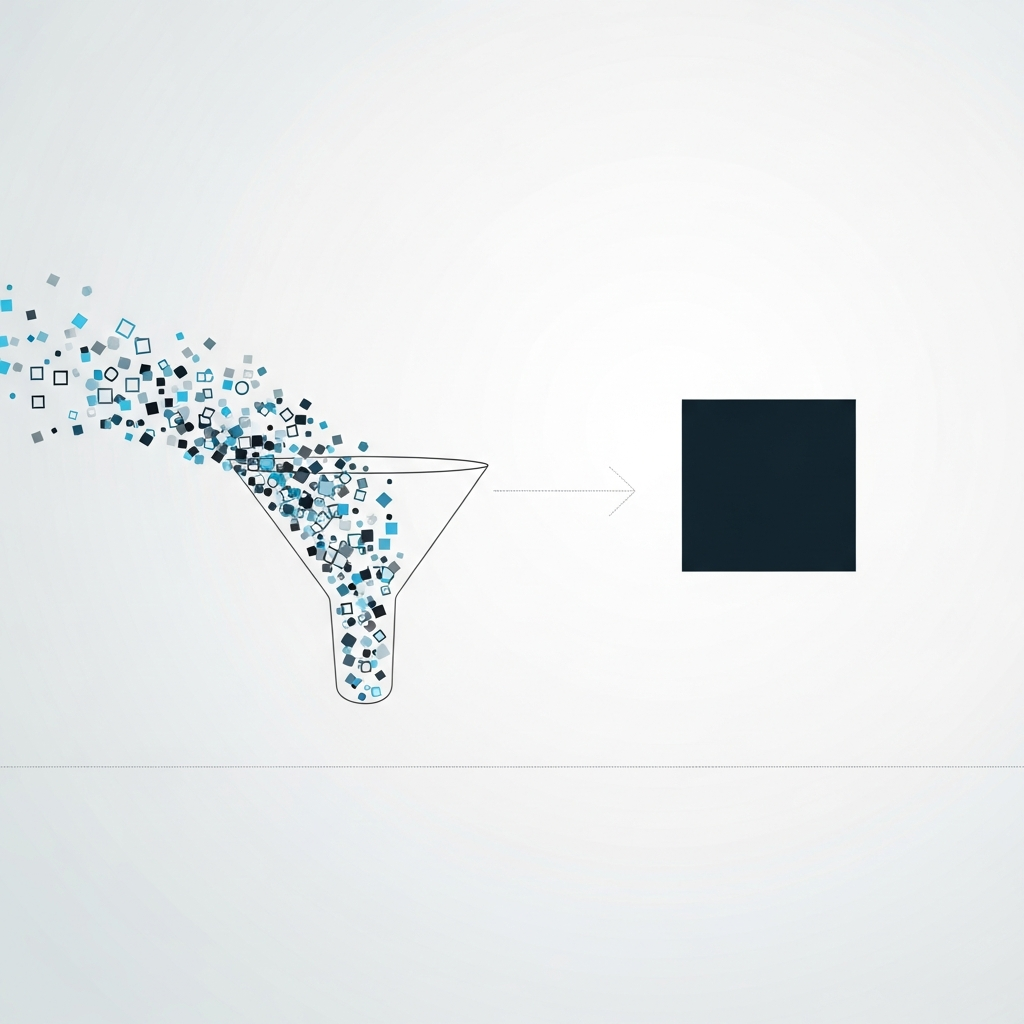
A practical framework for finance creators who need data stories that drive action, not just applause
Learn the repeatable process for transforming complex datasets into narratives that executives actually act on. This guide covers visualization selection, narrative structure, and the specific techniques that boost retention from 10% to 70%.
TL;DR
Data storytelling drives decisions - 92% of business leaders cite it as key to their decision-making, and narrative-formatted information is 22 times more memorable than facts alone.
Extract before you visualize - Identify your single most important insight first, then frame it within a narrative arc (context, change, implication) before selecting any chart types.
Focus creates impact - Retention jumps from 5 to 10% to 65 to 70% when data is wrapped in story. Protect this advantage by committing to one core insight rather than diluting with multiple findings.
Animation serves comprehension - Use motion to control pacing and direct attention, not to decorate. Every animated element should help your audience understand faster.
Optimize for context - Adapt duration, format, and information density based on where and how your audience will view your data story. One version rarely fits all distribution channels.
Guide Orientation: What This Guide Covers
This guide provides a structured approach to accelerating data story creation for finance content creators, data journalists, and analysts who need to transform complex datasets into compelling visual narratives. You will learn how to extract actionable insights from your data and present them in ways that drive measurable business decisions.
By the end, you will understand the core principles of effective data storytelling, master a repeatable framework for creating data narratives, and identify which visualization techniques maximize audience retention and engagement. This guide focuses on practical execution rather than theoretical foundations.
We exclude basic data literacy concepts and assume you already work with financial data regularly. The goal is speed and impact, not starting from scratch.
Why Data Storytelling Matters Now
The gap between data collection and data comprehension has never been wider. Organizations accumulate vast datasets but struggle to translate them into decisions that move the business forward. 92% of business leaders now cite data storytelling as a key factor in their decision-making process.
Raw data fails to stick. When people encounter unstructured statistics, they retain only 5 to 10% of the information. Wrap that same data in a narrative, and retention jumps to 65 to 70%. This difference determines whether your quarterly report drives action or gets filed away.
The cost of poor data communication is concrete. A company with $50 million in revenue can lose nearly $683,000 annually due to data downtime and inefficient analytics stemming from communication gaps. Data storytelling bridges the divide between what your analytics reveal and what your stakeholders actually do with that information.
74% of professionals report their organization's reliance on data has increased over the past two years. Yet most teams still present findings as static charts and bullet points. The organizations that master visual storytelling gain a decisive advantage in business performance comparison and strategic clarity.
Core Concepts: The Foundation of Data Storytelling
What Data Storytelling Actually Means
Data storytelling combines three elements: data, visualization, and narrative. Data provides the factual foundation. Visualization makes patterns visible. Narrative supplies context, meaning, and direction. Remove any one element, and the story collapses.
This differs from traditional reporting, which prioritizes completeness over comprehension. A report says "here is everything." A data story says "here is what matters and why you should care."
Common Misconceptions
Many assume data storytelling means making charts prettier. Visual polish matters, but it serves the narrative rather than replacing it. A beautiful chart without a clear point is decoration, not communication.
Others believe data storytelling requires oversimplification. The opposite is true. Effective data narratives handle complexity by revealing it progressively, guiding viewers through layers of insight rather than dumbing down the analysis.
The Actionable Insights Framework
Actionable insights share three characteristics: they are specific enough to inform a decision, timely enough to matter, and clear enough to remember. Information presented in narrative format is 22 times more memorable than facts alone. Your job is to identify which insights deserve this treatment and structure them for maximum retention.
Data storytelling benefits compound over time. Teams that adopt consistent narrative frameworks build shared understanding faster and make decisions with higher confidence.
The Accelerated Data Story Method
This framework consists of five interconnected phases: Extract, Frame, Visualize, Animate, and Distribute. Each phase builds on the previous one, creating a production pipeline that reduces creation time while increasing impact.
The phases are sequential for initial story creation but become cyclical as you refine based on audience response. Most teams spend excessive time in the Visualize phase while underinvesting in Extract and Frame. Rebalancing this allocation is the primary lever for acceleration.
The method works for quarterly reports, investor presentations, social content, and internal dashboards. The core logic remains constant; only the output format changes.
Step-by-Step Breakdown
Step 1: Extract the Insight Core
Objective: Identify the single most important finding your audience needs to understand and act upon.
Begin with your complete dataset but resist the urge to show everything. Ask: if my audience remembers only one thing, what should it be? This becomes your insight core. Every subsequent decision flows from this anchor.
Filter your data for anomalies, trends, and comparisons that support or challenge existing assumptions. Business performance comparison often reveals the most compelling stories because it provides immediate context. A 15% increase means little in isolation; a 15% increase against an industry average of 3% tells a story.
Anti-patterns to avoid: Starting with the visualization tool rather than the insight. Presenting multiple competing insights without hierarchy. Assuming your audience shares your context.
Success indicators: You can state your core insight in one sentence. The insight implies a specific action or decision. You can explain why this insight matters now.
Step 2: Frame the Narrative Arc
Objective: Structure your insight within a beginning, middle, and end that guides viewers to your intended conclusion.
Every data story follows a basic arc: establish context (what was), reveal the change (what is), and project implications (what should be). This structure mirrors how humans naturally process information and make decisions.
Your opening should create a question in the viewer's mind. Your middle should answer that question with evidence. Your conclusion should translate the answer into action. 93% of surveyed professionals agree that data storytelling helps make decisions that drive revenue. The narrative arc is what transforms data from information into decision support.
Map your supporting data points to each phase of the arc. Context data establishes baseline. Change data reveals the insight. Implication data supports the recommended action.
Anti-patterns to avoid: Front-loading conclusions before establishing context. Including data points that do not serve the narrative. Ending without a clear implication or next step.
Success indicators: Your story has a clear beginning, middle, and end. Each data point serves a specific narrative function. Viewers can articulate what they should do differently after seeing your story.
Step 3: Select and Design Visualizations
Objective: Choose visualization types that make your insight immediately visible and your comparisons instantly clear.
Match visualization type to data relationship. Use line charts for trends over time. Use bar charts for categorical comparisons. Use scatter plots for correlations. Use maps for geographic distribution. The wrong chart type forces viewers to work harder than necessary.
73% of high-performing businesses strongly agree that data visualization tools help gain strategic insights from big data. The visualization is not decoration; it is the mechanism through which insight becomes visible.
Design for the insight, not the data. Highlight the specific comparison or trend that supports your narrative. Use color strategically to draw attention to what matters. Remove elements that do not serve comprehension.
Anti-patterns to avoid: Using complex chart types when simple ones suffice. Including excessive gridlines, labels, or decorative elements. Choosing chart types based on novelty rather than clarity.
Success indicators: Viewers can identify your main point within three seconds. The visualization answers a specific question. Color and emphasis guide attention to the insight.
Step 4: Animate for Progressive Revelation
Objective: Use motion to control the pace of information delivery and reinforce the narrative arc.
Static charts show everything at once. Animated charts reveal information progressively, matching the natural pace of comprehension. This is particularly valuable for complex datasets where simultaneous presentation overwhelms viewers.
Animation serves three functions: it directs attention, establishes sequence, and creates emphasis. A bar growing from zero communicates growth more viscerally than a static tall bar. A line drawing across time creates anticipation and payoff.
Sequence your animations to mirror your narrative arc. Introduce context elements first. Reveal the key insight with appropriate emphasis. Conclude with implication or comparison data. Tools like Flowi automate this process, generating After Effects-quality motion graphics without requiring timeline editing.
Anti-patterns to avoid: Animating everything equally, which creates visual noise. Using animation for decoration rather than communication. Pacing that moves faster than comprehension allows.
Success indicators: Animation reinforces rather than distracts from the insight. Viewers can follow the narrative without rewinding. The motion creates appropriate emotional response (urgency, concern, optimism).
Step 5: Optimize for Distribution Context
Objective: Adapt your data story for the specific platform, audience, and viewing context where it will appear.
A data story for a board presentation differs from one designed for social media. Duration, aspect ratio, text size, and pacing all shift based on distribution context. Build these considerations into your production process rather than retrofitting at the end.
For financial content creators and data journalists, platform-specific optimization directly impacts engagement and shareability. Vertical formats for mobile feeds require different composition than widescreen presentations. Autoplay environments demand immediate visual hooks.
Consider viewing conditions. Will your audience see this on a phone during a commute or projected in a conference room? Adjust contrast, text size, and information density accordingly.
Anti-patterns to avoid: Creating one version for all contexts. Ignoring platform-specific constraints until post-production. Assuming silent autoplay environments will have audio.
Success indicators: Your story is immediately legible in its intended viewing context. Key information is visible without user interaction. The format matches platform best practices.
Practical Application: Before and After
Scenario: Quarterly Revenue Report
Before (Traditional Approach): A 12-slide deck containing tables of quarterly figures, year-over-year comparisons across all product lines, and bullet points summarizing "key takeaways." Average viewing time: 45 seconds before audience disengages.
After (Data Story Approach): A 90-second animated narrative that opens with the single most significant trend (subscription revenue overtaking one-time sales), visualizes the crossover point with appropriate emphasis, and concludes with the strategic implication (shift marketing budget to retention). Retention rate: 78% watch to completion.
The data is identical. The insight is identical. The difference is structure and delivery.
Scenario: Market Analysis for Social Distribution
Before: Static infographic with six charts, extensive annotations, and a paragraph of explanatory text. Engagement rate: 1.2%.
After: 15-second animated chart showing one striking comparison (industry growth rate versus company growth rate), with text overlay stating the implication. Engagement rate: 8.7%.
Acceleration comes from ruthless focus on the single insight that matters most for your specific audience.
Common Mistakes and How to Avoid Them
The most frequent failure is insight dilution. Teams include every interesting finding rather than committing to the one that matters most. This creates confusion rather than clarity. Stories fade by only 32% over a day compared to 73% for statistics. Protect your story's memorability by keeping it focused.
Second is premature visualization. Teams jump to chart creation before clarifying the narrative arc. The result is beautiful graphics that fail to communicate. Always frame before you visualize.
Third is context assumption. Creators forget that their audience lacks the background knowledge they possess. State context explicitly. What looks obvious to you may be invisible to your viewer.
Fourth is animation overuse. Motion should serve comprehension, not showcase capability. Every animated element should answer the question: does this help my audience understand faster?
What to Do Next
Start with your next data presentation. Before opening any visualization tool, write one sentence that captures the single insight your audience must remember. If you cannot write that sentence, you are not ready to visualize.
Then map your supporting data to the three-part narrative arc: context, change, implication. Only after this framing work should you select chart types and design visuals.
Treat this guide as a reference rather than a checklist. Return to specific sections as your production workflow evolves. The goal is sustainable improvement in both speed and impact, not overnight transformation.
As your volume increases, explore automation tools that handle the technical production while you focus on insight extraction and narrative framing. The data storytelling benefits compound as you build repeatable systems.
Frequently Asked Questions
What is data storytelling?
Data storytelling combines three elements: data, visualization, and narrative. It transforms raw numbers into structured narratives that guide audiences toward specific insights and actions. Unlike traditional reporting, which prioritizes completeness, data storytelling prioritizes comprehension and decision support.
Why is data storytelling important for business decisions?
Data storytelling directly impacts decision quality and speed. When information is presented as narrative, retention increases from 5 to 10% to 65 to 70%. This means stakeholders actually remember and act on your findings. Additionally, 92% of business leaders cite data storytelling as a key factor in their decision-making process.
How can I create an effective data story quickly?
Focus on extraction before visualization. Identify your single most important insight first, then structure it within a narrative arc (context, change, implication). Only after this framing work should you select visualizations. This sequence prevents wasted effort on charts that do not serve your core message.
When should I use data storytelling instead of traditional reporting?
Use data storytelling when you need your audience to remember specific insights, make decisions, or take action. Use traditional reporting when completeness and reference value matter more than immediate comprehension. Board presentations, investor communications, and social content benefit most from storytelling approaches.
Which visualizations work best for data storytelling?
Match visualization type to data relationship. Line charts excel at showing trends over time. Bar charts clarify categorical comparisons. The best visualization is the simplest one that makes your insight immediately visible. Avoid complex chart types when basic ones communicate the same information more clearly.
How does animation improve data storytelling?
Animation controls the pace of information delivery, matching how humans naturally process complex information. It directs attention, establishes sequence, and creates emphasis. A progressively revealed chart guides viewers through your narrative rather than overwhelming them with simultaneous information.
Sources
Read Next
Continue Exploring

7 Data Storytelling Examples That Make Finance Click
Discover data storytelling examples that turn complex finance data into compelling narratives. See side-by-side comparisons of what works and what falls flat.
How to Fix Data Storytelling That Fails to Engage
Learn how to transform financial data into visual stories that drive action. Practical techniques for data storytelling that boosts audience engagement.

How to Turn Financial Data Into Animated Videos in 45 Minutes
Transform raw financial data into compelling animated videos in 45 minutes. Learn data storytelling techniques that boost retention from 10% to 67%.